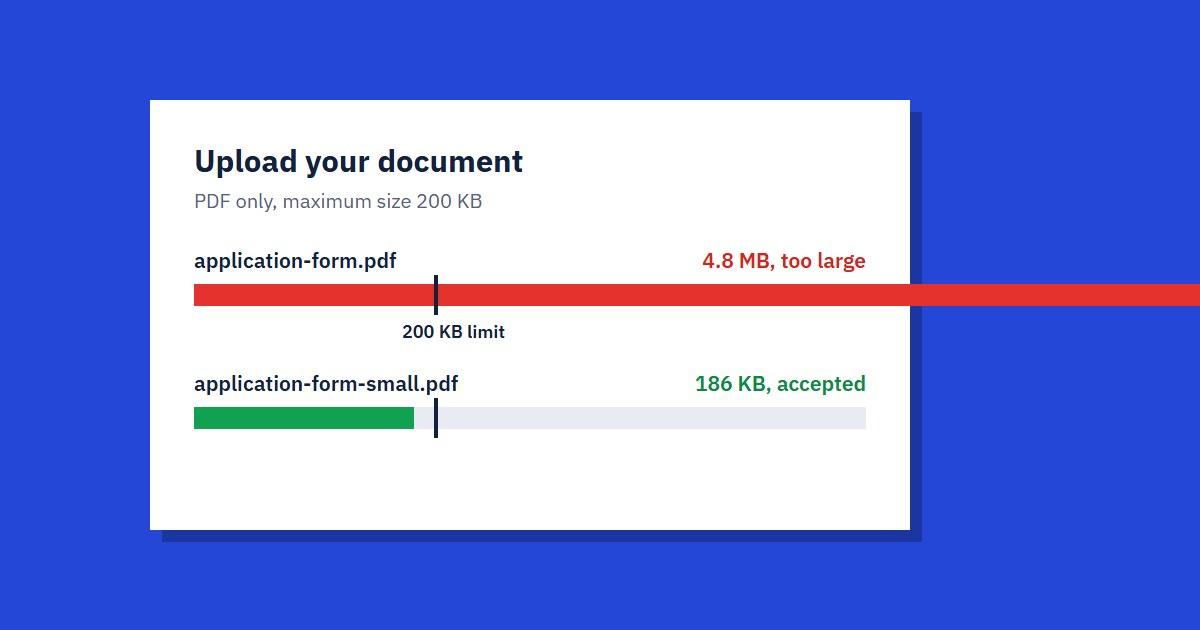
To get a PDF under 100 KB or 200 KB, upload it to our Compress PDF tool, choose Extreme, and download the result. That works for most scanned documents and photo-heavy files. If the file is still too big, the fix is usually to cut pages or rebuild the PDF from smaller images, both covered below.
Exam portals, government forms, visa applications and job sites often set strict limits like these, and the error message rarely tells you what to do next. This guide does.
Why Your PDF Is So Big
Almost all the size in a PDF comes from images. A single page scanned in colour, or a photo taken on a phone, can be several megabytes on its own, while a page of plain text is usually a few dozen kilobytes.
That tells you what to expect before you start:
- Scanned documents and phone photos usually shrink a lot, because each page is one large image
- Files with many charts, logos or pictures shrink well
- Text-only PDFs exported from Word are already small, so they shrink much less
If a five-page text PDF is 150 KB and the limit is 100 KB, compression may not get you there. The tips further down are for that situation.
Step-by-Step: Compress a PDF to a Target Size
- Open Compress PDF and upload your file
- Choose a compression level (see the table below)
- Download the result and check its size
- Open it and read it at normal zoom before you submit it
Our tool has three levels. These are typical results rather than guarantees, because the saving depends on what's inside your file.
- Maximum Quality keeps images at 150 dpi and typically saves about 20–50%. Use it for printing or documents with fine detail.
- Balanced keeps images at 96 dpi and typically saves about 50–75%. It's the right choice for email and most upload forms.
- Extreme takes images down to 72 dpi with the strongest compression and typically saves about 70–90%. Use it for strict limits like 100 KB or 200 KB.
Start with Balanced if your limit is generous, and go straight to Extreme if it's 200 KB or less. Text stays as text at every level, so typed words remain sharp and searchable. Only the images lose detail.
Still Too Big? Five Things That Work
If Extreme didn't get you under the limit, try these in order.
- Remove pages you don't need. Instruction pages and blank backs of scanned sheets add size for nothing. Use Split PDF to keep only what the form asks for, then compress again.
- Rebuild the PDF from smaller images. If it was made from phone photos, shrink each photo with Compress Image and combine them with JPG to PDF. For a single-page document, Compress Image to 100 KB lets you aim straight at the target.
- Rescan in grayscale. If you have a scanner, 150 dpi grayscale is plenty for an ID or certificate, and the file starts out far smaller than a 300 dpi colour scan.
- Crop your photos first. A phone picture of a document often includes the table it was lying on, and that background takes up space too.
- Split a long document into parts, if the form accepts more than one upload.
One thing that doesn't help much is compressing the same file again and again. The first pass does nearly all the work, and later passes mostly just make images look worse.
Check It Before You Submit
A file that meets the limit can still get your application rejected if nobody can read it. Before you upload, open the compressed PDF and check:
- Small print, ID numbers and dates are readable at 100% zoom
- Signatures and stamps are still clear
- All the pages are there, in the right order
Keep your original file too. If the result looks too rough, go back to the original and try a different method rather than compressing the compressed copy.
Does Compressing a PDF Reduce Quality?
It reduces the quality of images inside the PDF, not typed text. At Balanced, most people won't see a difference on screen. At Extreme, photos get visibly softer, which is usually fine for a form and not fine for printing.
Can I Compress a PDF to Exactly 100 KB?
Not to an exact number, because compression settings control quality rather than final size. Most forms only need the file to be under the limit, so being at 80 KB is just as good. If you land slightly over, removing one page or a large image usually closes the gap.
Why Did My PDF Barely Shrink?
It's probably mostly text, or the images are already compressed. Check the file size per page: if it's under about 50 KB a page, there's little left to remove, and cutting pages is the better option.
Is It Free?
Yes. The free plan covers files up to 20 MB, with up to 5 conversions a day across all our tools. Paid plans raise the file limit to 100 MB. See Pricing for details.
The next time a portal rejects your file, you shouldn't need more than a couple of minutes. Start with our free Compress PDF tool.
Advertisement
Share this article
Manikant
Writing practical guides on PDF tools, file conversion, and document workflows.
More articlesRelated Articles
How to Make a Scanned PDF Searchable with OCR
Can't search or copy text from a scanned PDF? OCR fixes that. Here's how it works and how to get accurate results.
How to Redact a PDF Properly (Black Boxes Aren't Enough)
A black rectangle drawn over text can leave that text fully readable underneath. Here's how to remove sensitive information from a PDF for good.
How We Built SmallPDF.us: Hosting & Tech Stack
A behind-the-scenes look at the VPS, tech stack, and lessons learned running a free PDF tools platform — plus what we'd tell you before you build your own.